Read receipts
Who opened a daily log, and when
Family, support workers and specialists work from the same living picture in the app. Coordinators group people, send announcements, take attendance and pull records from the dashboard. No servers, no migration, no training week.
Live on iOS and Android. Free forever for families.
A parent, a support worker, a respite caregiver, a therapist, a teacher. Same profile, same log, different permissions. Free for families, on iOS and Android.
Groups, announcements, attendance, reminders, intake upload, and records you can filter and export when a funder asks. Web only, no app to install.
A non-speaking person spends their life being asked to fit into rooms that do not know them. MORO writes down how this person works, so the next room already knows.
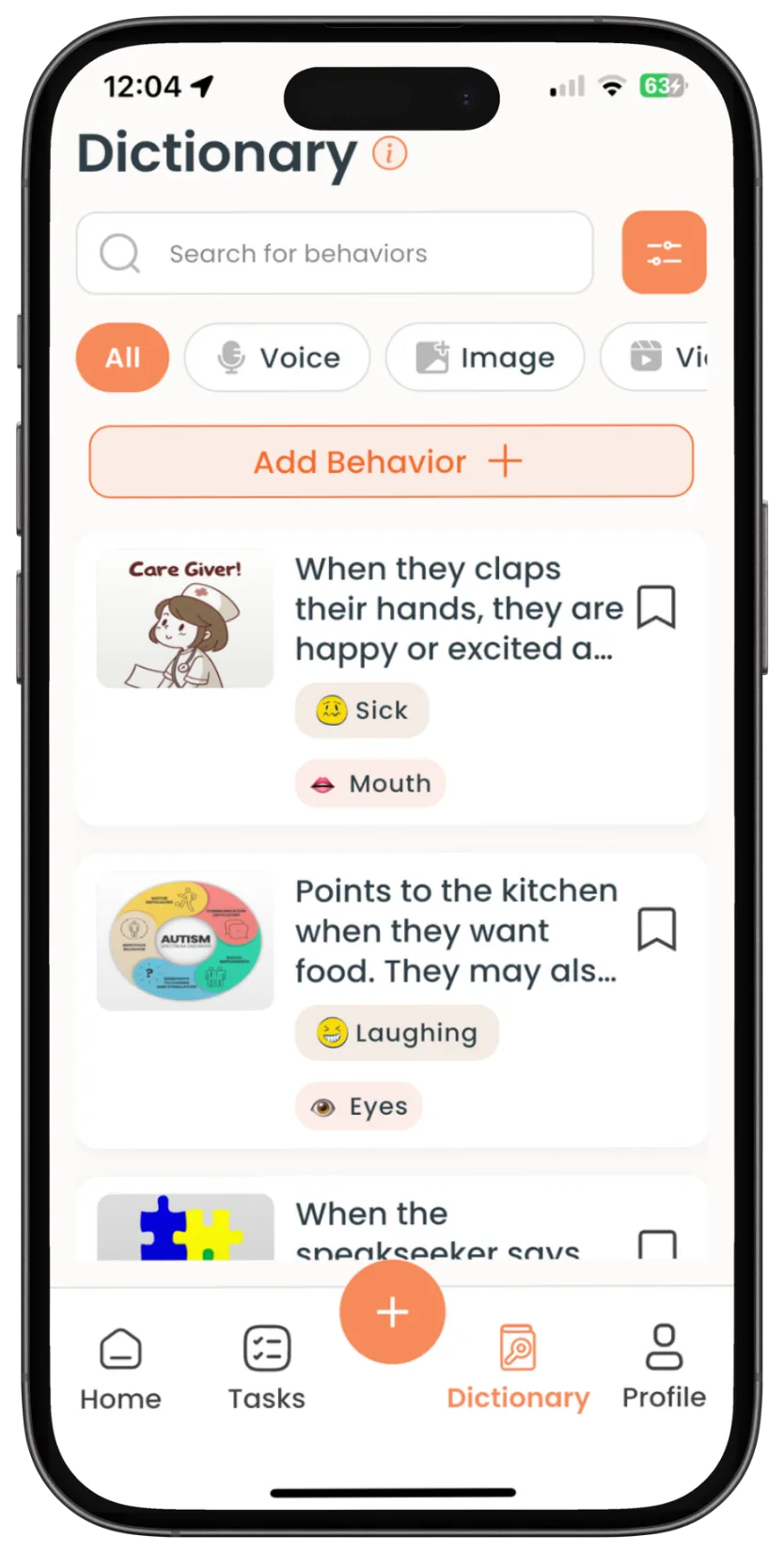
Cues, routines, triggers and how someone communicates. Written once by the people who know them best, and read by family, staff and specialists alike.
So that anybody new, paid or not, knows the person and not just the schedule.
Mark the task complete and watch where it lands.
The task
Who finds out
Two rows worth noticing. In-app reads are tracked out of the box. Texts and emails go out the same way, and if you want a YES or NO back from those, that is an add-on we set up with you. The last row is what a manager sees: the number moves on its own, because the record and the metric are the same thing.
The part your coordinators live in. No app required, nothing to install.
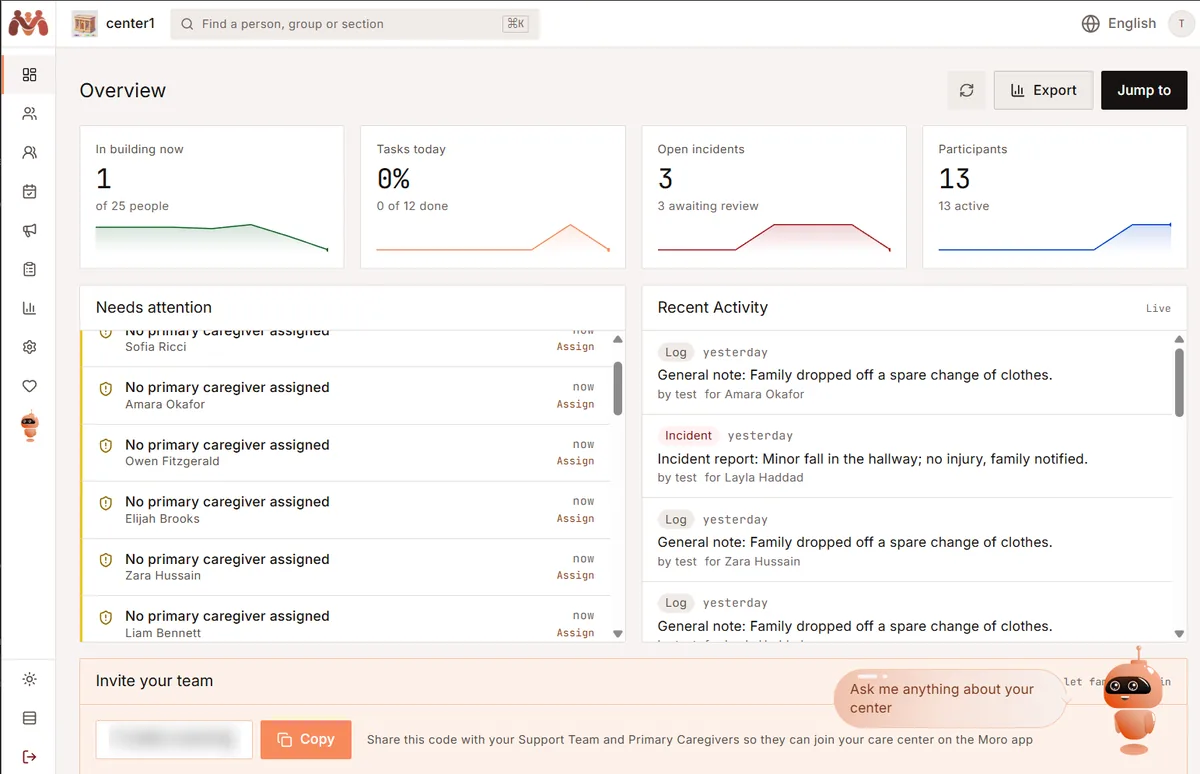
Morning program, afternoon program, a classroom, a one-off outing. Put the right staff and participants in a group, then assign tasks to all of them at once.
So that setting up a week takes one action, not thirteen.
A closure, a weather alert, a schedule change. Write it once, and every family gets it on whichever channels they chose, one or several.
Program closed today due to the storm. Normal hours resume tomorrow.
So that a closure costs one send instead of an afternoon on the phone.
In, out or late, marked against the same profiles your team logs into. It lands in the record, not on a sheet somebody reconciles later.
So that the funding question and the care question are answered by the same record.
Tasks that are due or overdue chase themselves, so following up stops being a supervisor's memory job. Every log, incident and summary filters by person, type or date, then exports.
So that the follow-up happens whether or not anyone remembered to chase it.
Intake forms, consents and reports attach to the person's profile, so day one starts with real information rather than an empty shell.
So that day one starts full, not empty.
Pick a group. Mark someone absent or a staff member away and watch the ratio move, then assign the task once.
Tap any circle to mark a participant absent or a staff member away. Outlined circles are staff. The ratio recalculates as you go.
The reason MORO starts as a pilot rather than a sign-up link is that we come in and get you ready.
That is the whole session. Your staff already know how to use a phone, so there is nothing to teach beyond where things live.
Hand us the intake forms, the paper journals, the communication logs. We turn them into ready profiles for the person, the family and the staff who support them.
Your team opens the app to real profiles with real history in them, instead of spending weeks onboarding into an empty system.
Most people assume MORO is daily logging. Logging is how it collects. What it builds is a count you can watch move, day after day, before anyone has to rely on a memory of how last week felt.
Illustrative. Real counts come from what a team logs.
The dictionary of cues and what they mean. Tagged, timestamped logs from every setting. Incident reports. Search, filter and export by person, type or date.
Automatic frequency tallies, trend views over time, and the development journey that keeps milestones across years.
If you already run scheduling, invoicing or charting somewhere, keep it. These are two different layers and you probably need both.
Progress notes, incidents, announcements and daily summaries in a single searchable, tagged timeline. Whatever happens in the app or on the dashboard lands here.
So that "did anyone write that down?" always has the same answer: yes, and here it is.
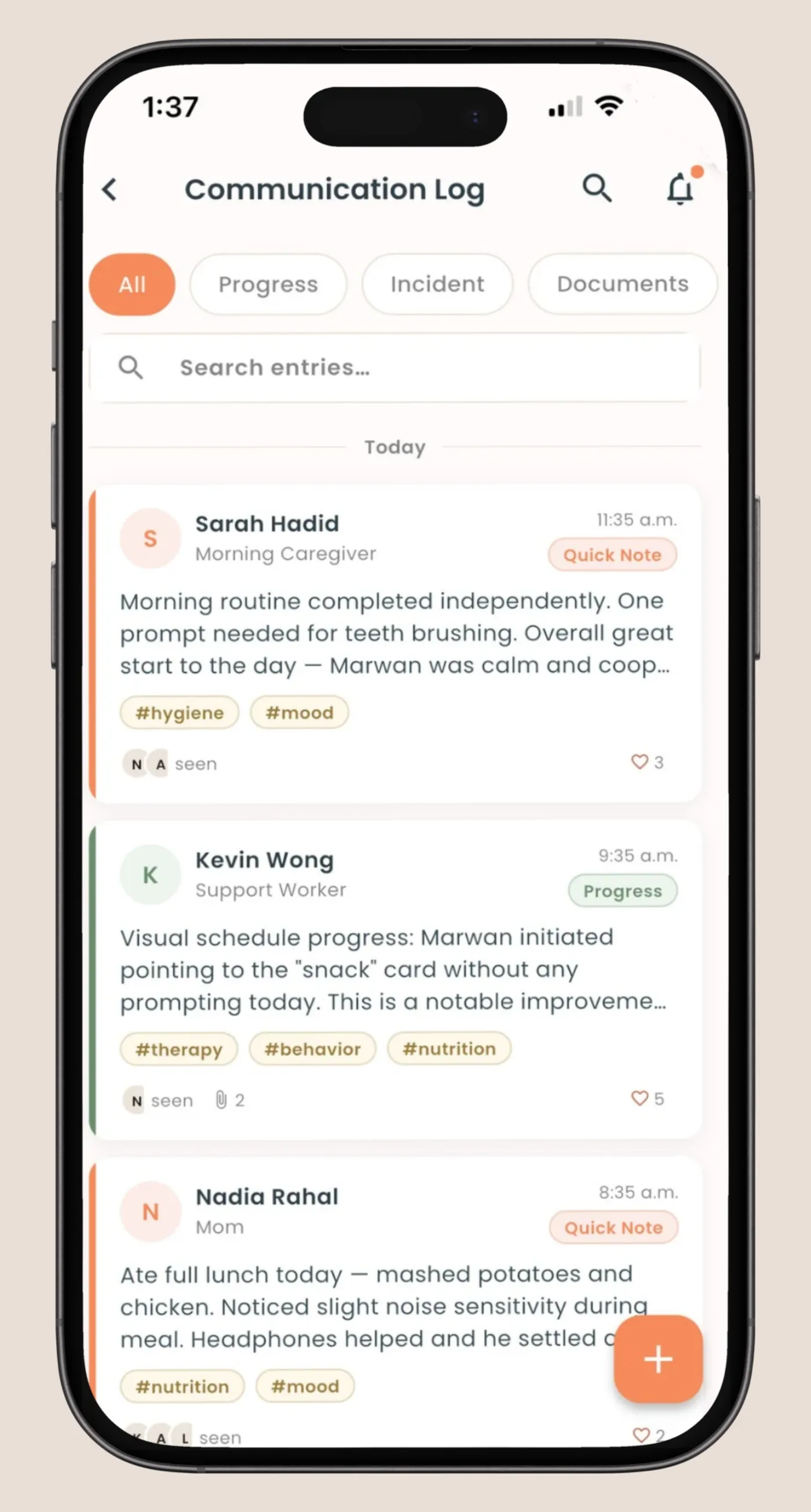
Who opened a daily log, and when
Parents confirm with one tap, timestamped
Control what each person can see and change
What changed, not a feed you learn to ignore
Resources matched to a person's profile
A structured introduction for anyone new
Not on the page as promises. Here so you can see where this is going before you commit four weeks to it.
Instead of opening five screens, ask what happened today, who is short-staffed, or which logs are missing, and get the answer in a sentence. Ask it to update something and it does.
One place for consents, assessments, care plans and reports, attached to the person rather than filed by whoever scanned it last.
Frequency tallies and trend views on top of the behaviour logging described above, so the profile shows growth over months, not just what happened Tuesday.
Pilot partners help decide what gets built first. That is how the nine features already in the product got there.
One group, no cost, price agreed in writing before day one. Or download the family app and start with your own circle.
info@moroapp.ca · moroapp.ca · iOS and Android